June 3, 2026
Navigate the World of Image Generators: A Step-by-Step Practical Guide
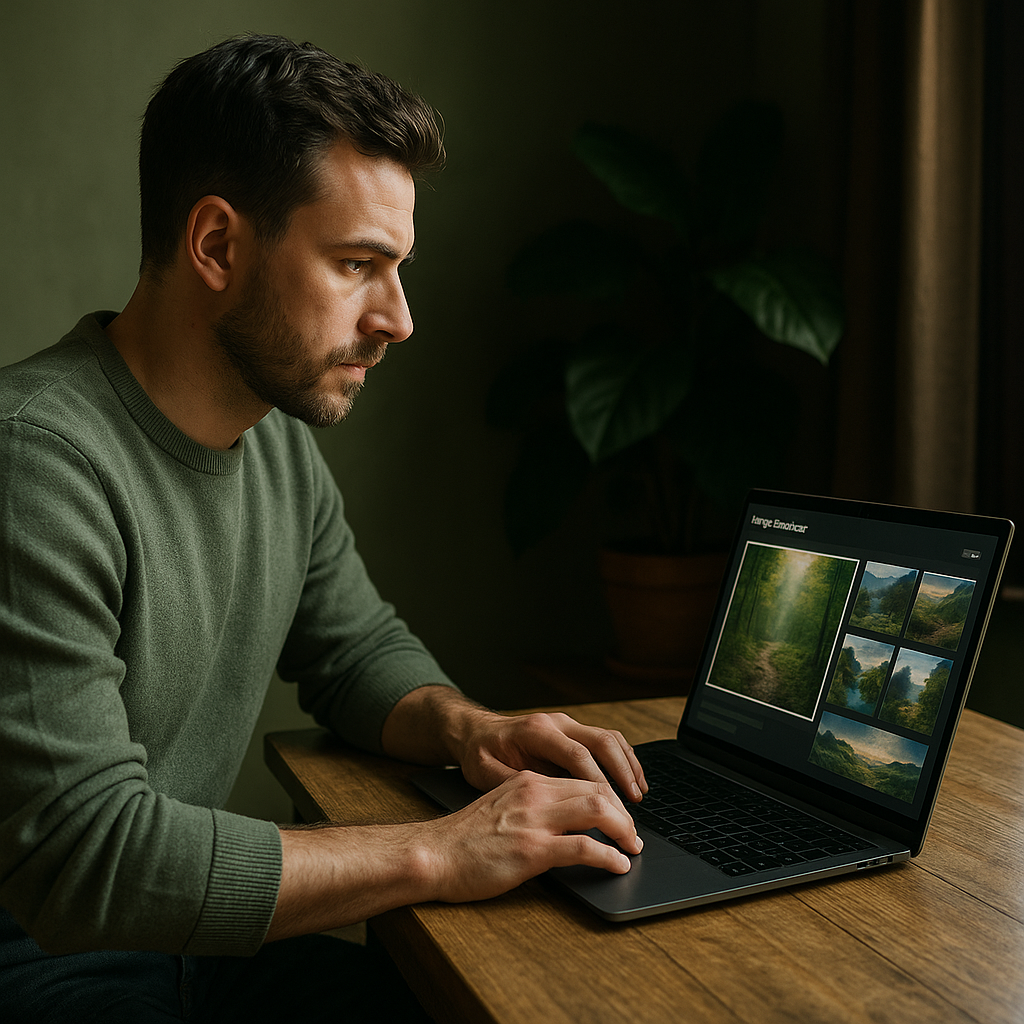
Image Generators
In recent years, image generators powered by artificial intelligence have revolutionized the way we create and consume visual content. No longer confined to traditional methods of illustration or photography, these tools allow users from all backgrounds to generate stunning images with just a few clicks. This article serves as a practical how-to guide for anyone interested in diving into the world of image generation, offering step-by-step advice on how to harness this technology effectively.
Before getting started, it’s essential to understand what image generators are. These AI-based tools use algorithms trained on vast datasets to produce original images based on text prompts provided by users. There are various platforms available, each with unique features and capabilities. Let’s explore how you can make the most out of these innovative tools.
Choosing the Right Image Generator
The first step in your image-generating journey is selecting the right platform that suits your needs. Popular options include DALL-E 2, Midjourney, and Stable Diffusion, each offering distinct features:
- DALL-E 2: Developed by OpenAI, this tool excels in generating high-quality images from textual descriptions. It’s user-friendly and great for beginners.
- Midjourney: A community-driven platform that focuses on artistic interpretations of prompts. Ideal for creative professionals looking for unique styles.
- Stable Diffusion: An open-source model allowing advanced users more flexibility in tuning parameters and running custom models locally.
Take some time to explore each platform's capabilities and select one that aligns best with your objectives.
Step-by-Step Guide to Generating Images
Once you’ve chosen an image generator, follow these steps to create your own visuals:
Step 1: Create an Account
If your chosen platform requires an account, start by signing up. Most services offer free trials or basic plans that allow you to test their features without committing financially.
Step 2: Compose Your Text Prompt
The core of any image generation process lies in the text prompt you provide. Consider these tips for crafting effective prompts:
- Be Specific: The more detail you include about what you want (colors, styles, settings), the better the output will be.
- Create Context: Describe not just objects but also their relationships and environments (“a cat lounging on a sunny balcony” versus “a cat”).
- Add Style Elements: Indicate artistic styles if desired (such as “in a watercolor style” or “like a digital painting”).
Step 3: Input Your Prompt
Navigating to your generator of choice, find where to input your prompt—usually located prominently on the homepage. Paste or type your carefully constructed prompt into this space.
Step 4: Adjust Settings (If Applicable)
Your selected tool may offer various adjustable settings such as resolution, aspect ratio, and creativity level. Experimenting with these can yield vastly different results:
- Resolution: Higher resolutions result in clearer images but may take longer to generate.
- Cohesion Level: Some platforms allow adjustments regarding how closely the generated image adheres to the given prompt; a higher cohesion level means less artistic interpretation.
Step 5: Generate Image
This is often where excitement builds! Click on “Generate”, “Create”, or whatever button initiates the process on your chosen platform. Be prepared for waiting times ranging from seconds to minutes depending on server load and complexity of request.
Step 6: Review & Refine
Your initial output may not be perfect; that’s okay! Take time to review what has been generated carefully. If it doesn’t meet expectations, consider refining your prompt with clearer instructions or alternative wording before generating again.
Step 7: Download & Share Your Creation
If satisfied with the final image(s), follow instructions provided by the platform for downloading your creation. Most allow saving directly onto devices or sharing through social media platforms straight from their interface.
Troubleshooting Common Issues
You might encounter challenges while using image generators; here’s how to tackle some common issues:
- Poor Quality Output: This can happen if prompts are too vague or if selected settings aren't optimal—refine those details!
- No Generation Progress/Errors: Check internet connection stability and try refreshing the page; sometimes servers may experience overloads during peak usage hours.
- Lack of Desired Styles/Elements:: Revisit previous steps—modifying style elements within your prompt or adjusting creativity levels could enhance results significantly.
The Future of Image Generation Technology
The realm of AI-generated imagery continues advancing rapidly, incorporating new techniques such as interactive interfaces that let users manipulate aspects of generated images post-creation directly. As such technologies progress further into mainstream adoption across industries like marketing and education alike, understanding their operational basics becomes invaluable—not only will it enhance workflow efficiency but also unleash new creative potentials previously thought unattainable!
The Ethical Considerations Surrounding AI-Generated Images
A critical aspect worth mentioning is ethics surrounding usage rights concerning generated artwork when utilized commercially versus personally—always ensure compliance with respective terms outlined within each specific tool/platform before deployment!
You now possess foundational knowledge about harnessing powerful image generator tools effectively! With practice comes mastery—explore creatively without limits while continuously honing skill sets involved until producing fantastic visuals becomes second nature!
/ End of Article /Recent Posts
Controversy in AI: The Diverging Opinions on Working with Neural Networks
June 3, 2026
Separating Fact from Fiction: The Truth Behind Working with Neural Networks in A...
June 3, 2026
Image Generators on the Rise: An In-Depth Look at Industry Trends and Data
June 3, 2026

Maximum Potential
Get the full experience with Pro Plan
INFORMATION